Table of Contents
I’m curious about everyone’s favorite authors.
Recently, I decided to collect events from the [Kindle Unlimited search site] (https://kindle-unlimited-search.nove-b.dev/), which has been continuously updated.
You use this site by registering your favorite authors, but we’ve made it possible to get information about events, in other words, which authors have been registered.
The reason for this is that I wanted to implement something like author rankings in the future, and I personally wanted to know what kind of authors everyone liked.
send event
There is nothing particularly difficult to implement.
function 作家登録処理(作家名: string) { ... 作家を登録する処理 if (window.gtag) { window.gtag('event', 'registration_author', { event_value: 作家名, }); }}This completes the implementation.
The way to check is to check the event registration_author in real time, and if there is a value in event_value, there is no problem.
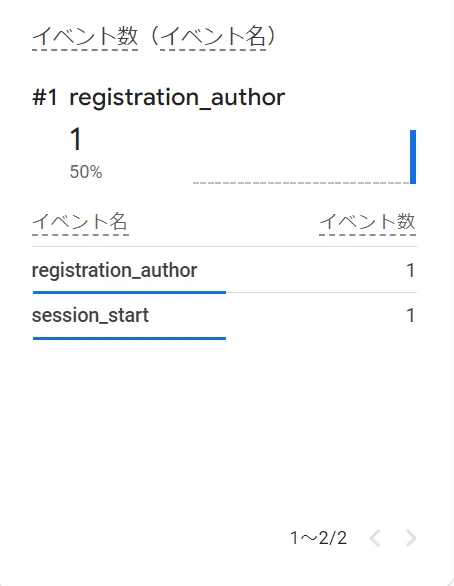
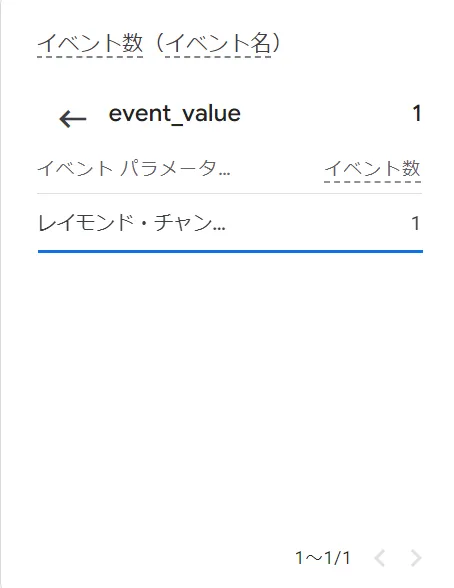
If this is all you do, you won’t be able to check the list in the report, so register it in a custom dimension so you can see it.
Register as custom dimension
Select Administration => Custom Definitions => Create Custom Dimension.
Set the dimension name as desired, the scope as event, and the event parameter as event_value.
After a few days, the data will be reflected and you will be able to see a list of event parameter values in the report.
See list of values
Select the desired event in Home > Events.
Then you can get a list of custom dimension values for the registered event.
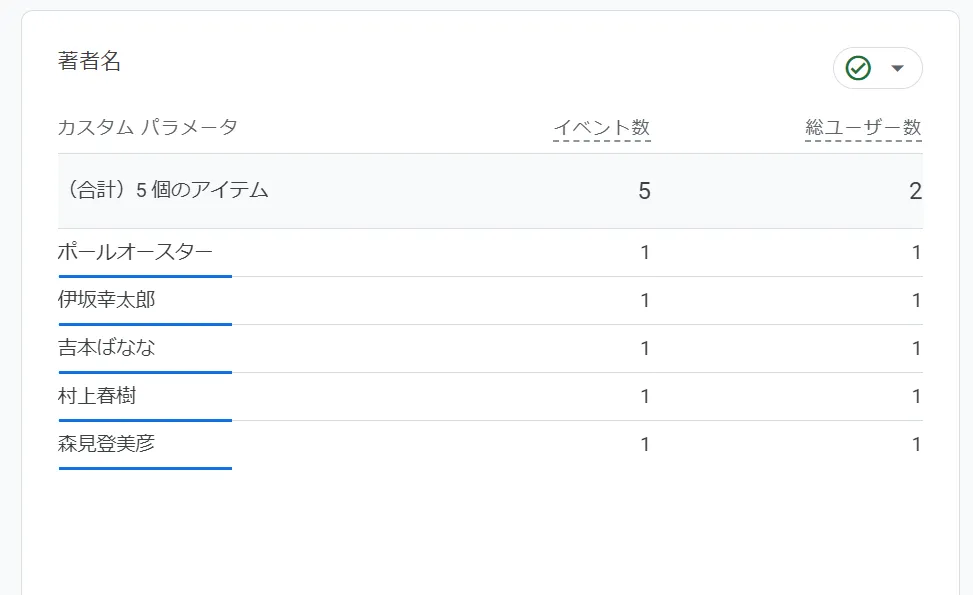
The above is a list of artists who were registered on a certain day.
There are still few users. I hope this continues to expand.